Texture pack for Minecraft Bedrock
Hearthside Cottage
Warm terracotta brick, pale limestone and honey oak for your Bedrock cottage builds.
Free. 3 kB.
Changes 3 blocks. Works with Minecraft Bedrock 1.21 and newer. No experimental features.
In the game
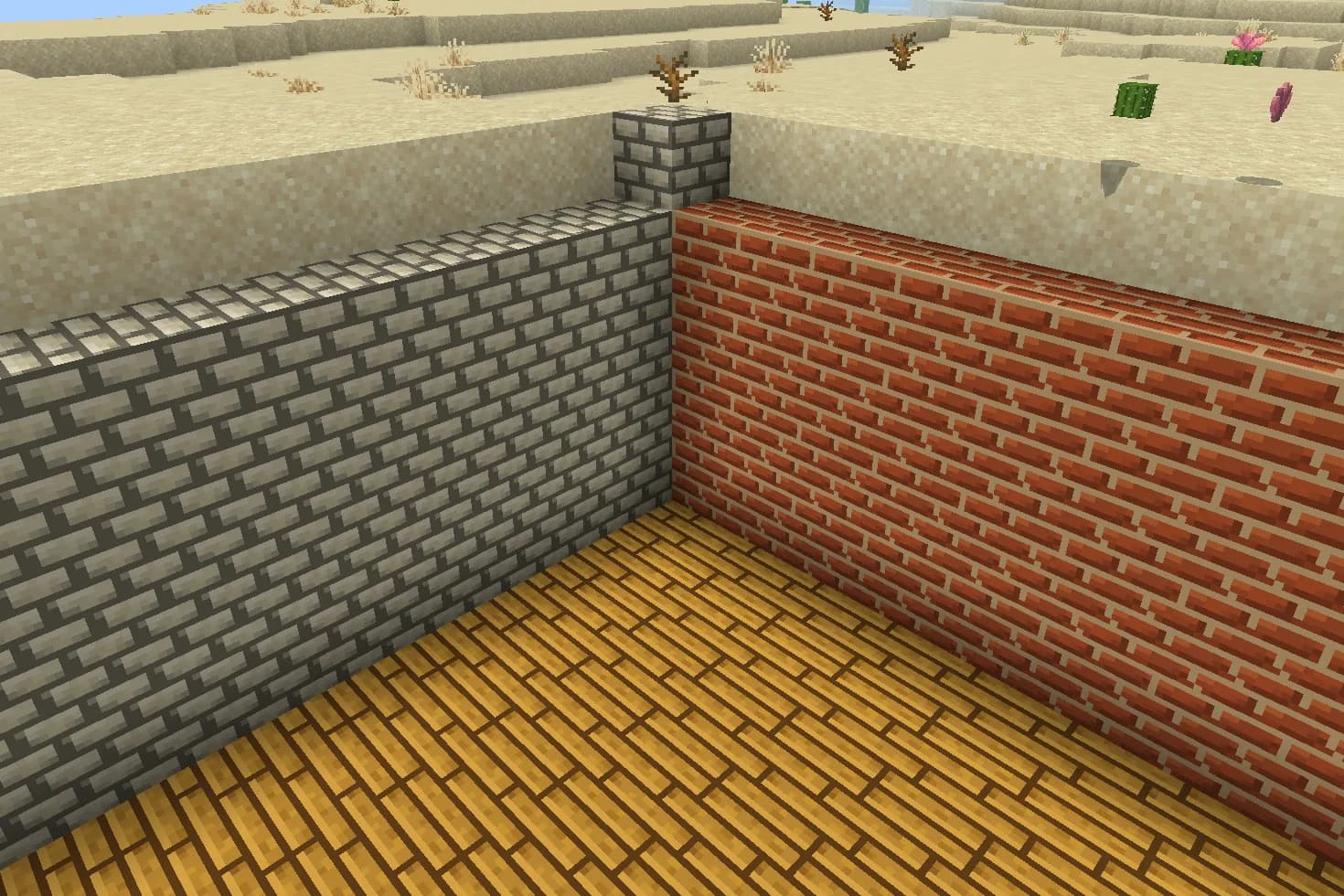
A corner of a room built from this pack inside Minecraft on a phone, photographed when we checked it.
What changes
Give a cottage a warm brick hearth, pale stone walls and honey-coloured floorboards. Hearthside Cottage replaces three textures: bricks become terracotta masonry, stone bricks become pale limestone masonry, and oak planks become honey oak boards. The 16×16 artwork uses simple mortar lines and quiet wood grain. These are appearance changes to existing blocks: build the cottage yourself with the blocks and recipes you already use. Other materials keep their existing textures.
Bricks
Every bricks block in your world takes this look.
Stone bricks
Every stone bricks block in your world takes this look.
Oak planks
Every oak planks block in your world takes this look.
How to install
- Open the .mcpack file with Minecraft Bedrock to import it.
- Edit a world, open Resource Packs, find this pack under My Packs and activate it.
- Place it above other packs that replace the same textures.
- Use bricks for a warm hearth or chimney, stone bricks for pale walls, and oak planks for floors.
- The same texture files are used by some stairs, slabs and other shapes, so those appearances may change too.
- A higher-priority resource pack can replace these textures; move Hearthside above it if needed.
To use it in every world instead of one, go to Settings, then Global Resources, then My Packs, and activate it there.
If your browser saved the file ending in .zip, rename it to end in .mcpack before opening it.
Step-by-step install for your deviceChecked in the game
We put this exact file into Minecraft 1.26.45 on an Android phone on 7 September 2026, turned it on, and looked at every block it changes in a world. The pictures above are from that check.
Other devices and newer versions of Minecraft have not been checked yet.
File details
Pack version 0.1.0. Needs Minecraft 1.21.120 or newer.
SHA-256 bff9b9cc914f592baebb175778438c0286624a0dc51d2211a7e6681d1dac445b