Texture pack for Minecraft Bedrock
Slatehaven Keep
Blue-grey masonry, rough charcoal cobbles and weathered spruce for Bedrock castle builds.
Free. 3 kB.
Changes 3 blocks. Works with Minecraft Bedrock 1.21 and newer. No experimental features.
In the game
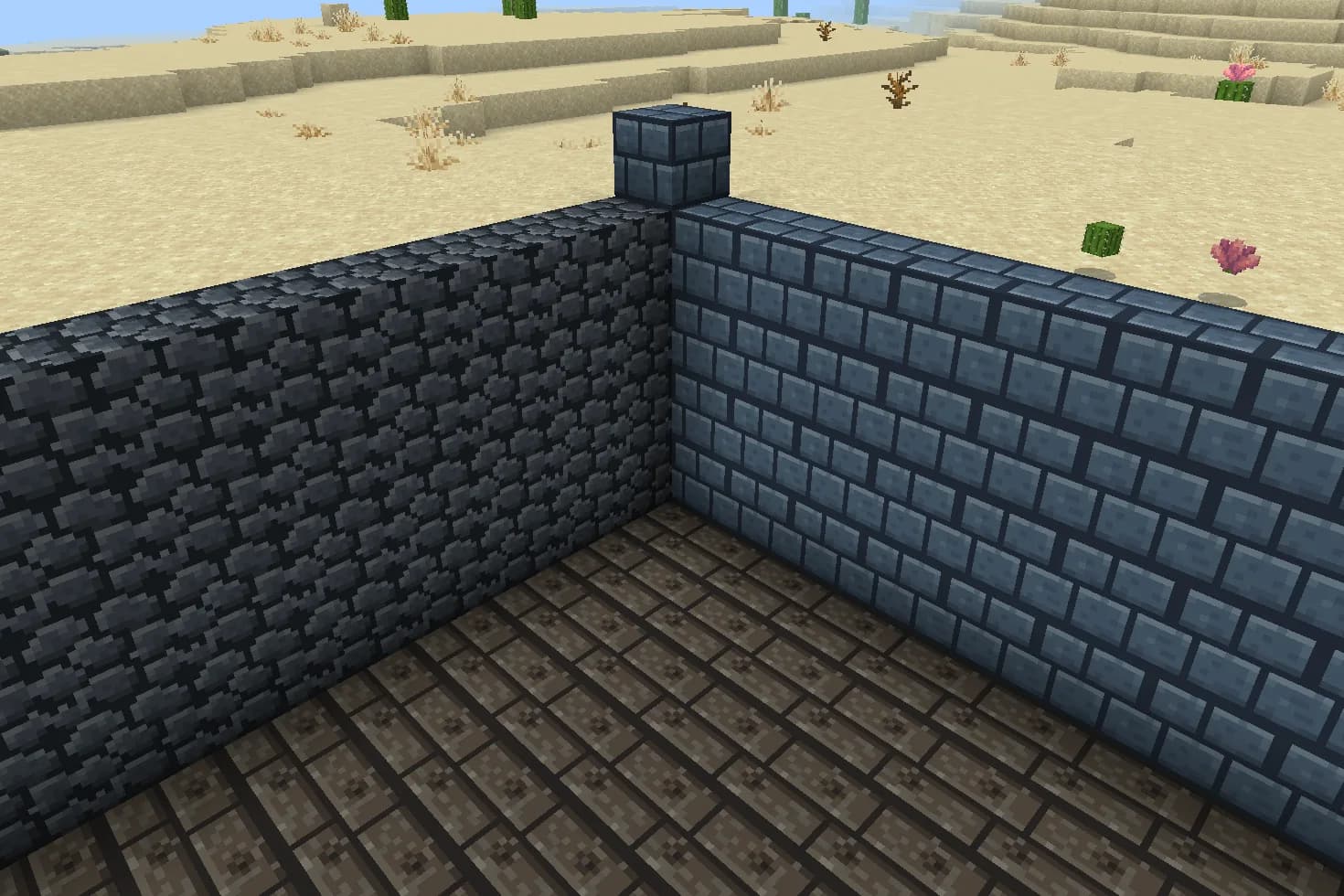
A corner of a room built from this pack inside Minecraft on a phone, photographed when we checked it.
What changes
Build a cool stone keep with broad slate-coloured walls, rough cobbled foundations and dark timber floors. Slatehaven Keep replaces three textures: stone bricks become blue-grey dressed masonry, cobblestone becomes charcoal rubble, and spruce planks become weathered boards with silver-grey grain. Each original 16×16 tile uses a small palette and clear joints. The pack changes the appearance of these existing materials; it does not include a castle or change block recipes. Other materials keep their existing textures.
Stone bricks
Every stone bricks block in your world takes this look.
Cobblestone
Every cobblestone block in your world takes this look.
Spruce planks
Every spruce planks block in your world takes this look.
How to install
- Open the .mcpack file with Minecraft Bedrock to import it.
- Edit a world, open Resource Packs, find this pack under My Packs and activate it.
- Place it above other packs that replace the same textures.
- Use stone bricks for keep walls, cobblestone for rough foundations, and spruce planks for floors or roof details.
- Build with the existing blocks and recipes; this download contains textures, not a finished structure.
- Some stairs, slabs and other shapes share these textures, so their appearances may change too.
- Place Slatehaven above another resource pack if you want its three replacements to take priority.
To use it in every world instead of one, go to Settings, then Global Resources, then My Packs, and activate it there.
If your browser saved the file ending in .zip, rename it to end in .mcpack before opening it.
Step-by-step install for your deviceChecked in the game
We put this exact file into Minecraft 1.26.45 on an Android phone on 7 September 2026, turned it on, and looked at every block it changes in a world. The pictures above are from that check.
Other devices and newer versions of Minecraft have not been checked yet.
File details
Pack version 0.1.0. Needs Minecraft 1.21.120 or newer.
SHA-256 497734b203bf553f7c4f29716b4810cb6415b755da96a8eaf9fb8a6b889b894c