Texture pack for Minecraft Bedrock
Verdant Reliquary
Ten jungle-ruin textures: mossy stone, carved medallions, reddish timber, jade mosaic, aged gold, clay tiles and fern-speckled gravel.
Free. 6 kB.
Changes 10 blocks. Works with Minecraft Bedrock 1.21 and newer. No experimental features.
In the game
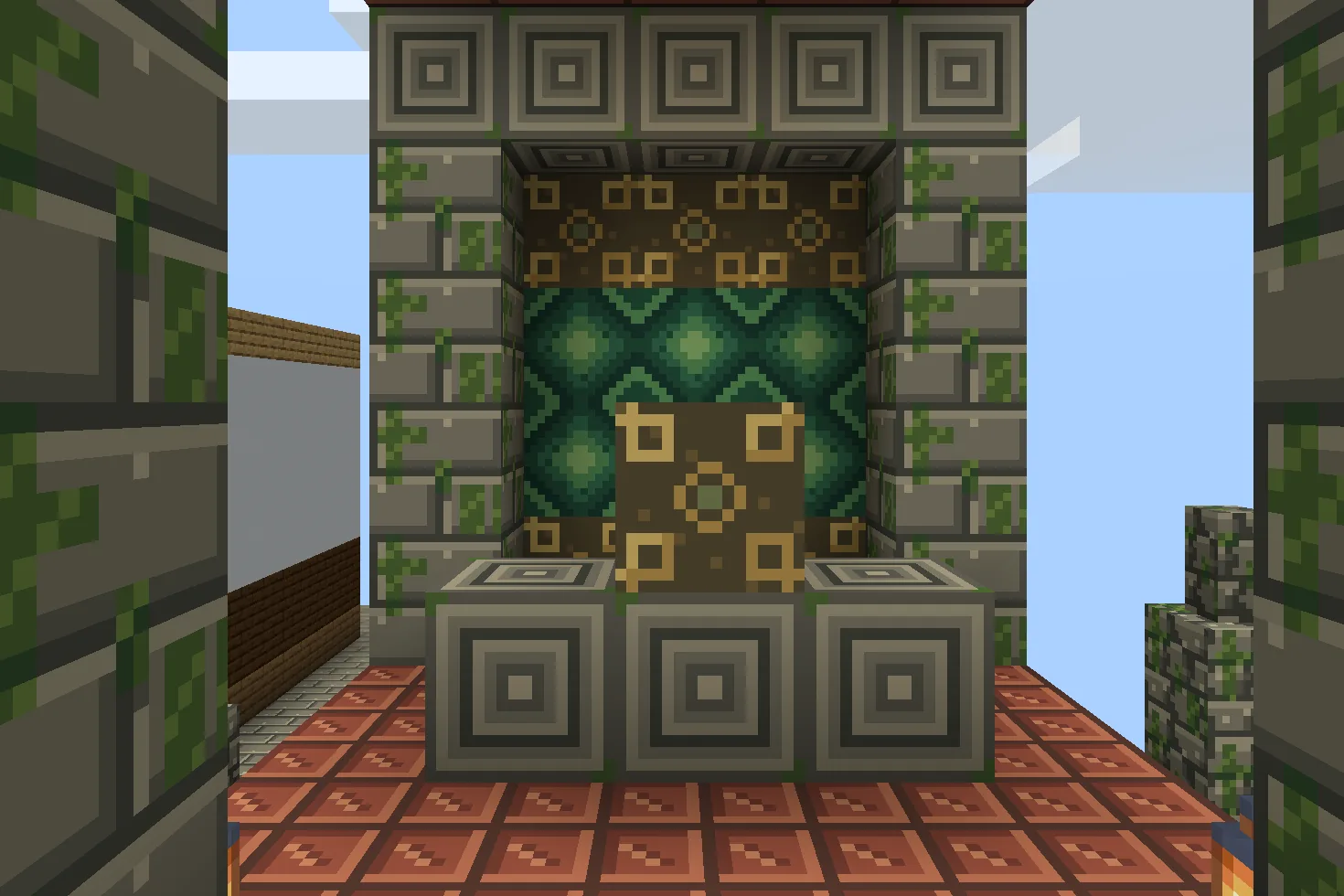
A build using this pack inside Minecraft on a phone, photographed when we checked it. The download includes the textures; the build is an example.
What changes
Build your own overgrown sanctuary with ten original 16×16 textures. Rough cobblestone and cut stone bricks each have a matching mossy version, while chiseled stone bricks carry a concentric carved medallion. Jungle planks become weathered reddish boards. Green concrete gains jade diamond mosaic, yellow concrete gains a tarnished gold fret, bricks gain incised clay tiles, and gravel becomes dark earth with small stones and painted ferns. Shared stairs, slabs, walls and infested stone variants use the same files. Cracked stone bricks, logs, leaves and living plants retain their existing textures. All surfaces are opaque static pixels: moss does not spread, painted ferns are not plants, and the inlays do not glow. No structure, treasure, trap, new block or gameplay is included.
Cobblestone
Every cobblestone block in your world takes this look.
Mossy cobblestone
Every mossy cobblestone block in your world takes this look.
Stone bricks
Every stone bricks block in your world takes this look.
Mossy stone bricks
Every mossy stone bricks block in your world takes this look.
Chiseled stone bricks
Every chiseled stone bricks block in your world takes this look.
Jungle planks
Every jungle planks block in your world takes this look.
Green concrete
Every green concrete block in your world takes this look.
Yellow concrete
Every yellow concrete block in your world takes this look.
Bricks
Every bricks block in your world takes this look.
Gravel
Every gravel block in your world takes this look.
How to install
- Open the .mcpack file with Minecraft Bedrock to import it.
- Edit a world, open Resource Packs, find this pack under My Packs and activate it.
- Place it above other packs that replace the same textures.
- Mix cobblestone with mossy cobblestone, or stone bricks with mossy stone bricks, to age walls and foundations.
- Place chiseled stone bricks for carved medallions. Shared stairs, slabs, walls and infested stone counterparts change too; cracked stone bricks stay unchanged.
- Use jungle planks for reddish timber and bricks for incised clay flooring. Their shared building shapes use the same textures.
- Green concrete provides jade mosaic and yellow concrete provides painted gold inlay. Neither emits light.
- Lay gravel for dark pebble-and-fern paths. Ferns and moss are flat decoration; build your own sanctuary with existing blocks.
To use it in every world instead of one, go to Settings, then Global Resources, then My Packs, and activate it there.
If your browser saved the file ending in .zip, rename it to end in .mcpack before opening it.
Step-by-step install for your deviceChecked in the game
We put this exact file into Minecraft 1.26.45 on an Android phone on 8 September 2026, turned it on, and looked at every block it changes in a world. The pictures above are from that check.
Other devices and newer versions of Minecraft have not been checked yet.
File details
Pack version 0.1.0. Needs Minecraft 1.21.120 or newer.
SHA-256 f45defc0c5429a2fd34091e3b96962b5cc14910928eebd2bcbd502202ec3bdd2
You might also like
Texture pack
Kohaku Courtyard
Nine Japanese-inspired building textures with ivory plaster, charcoal roof tiles, cedar, woven flooring and garden materials.
Texture pack
Bracken Archive
Ten library textures: leather-bound book spines, walnut panels, chevron parquet, garnet runners, green leather and brass trim.
Texture pack
Petalwick Patisserie
Eight pastel shop textures: blush glaze, mint scallops, cream terrazzo, butter panels, pale parquet, rose brick, gingham and enamel.
Texture pack
Saltwind Harbor
Eight coastal building textures: limewashed walls, coral brick, painted timber, driftwood, sand and pebbles.