Texture pack for Minecraft Bedrock
Kohaku Courtyard
Nine Japanese-inspired building textures with ivory plaster, charcoal roof tiles, cedar, woven flooring and garden materials.
Free. 5 kB.
Changes 9 blocks. Works with Minecraft Bedrock 1.21 and newer. No experimental features.
In the game
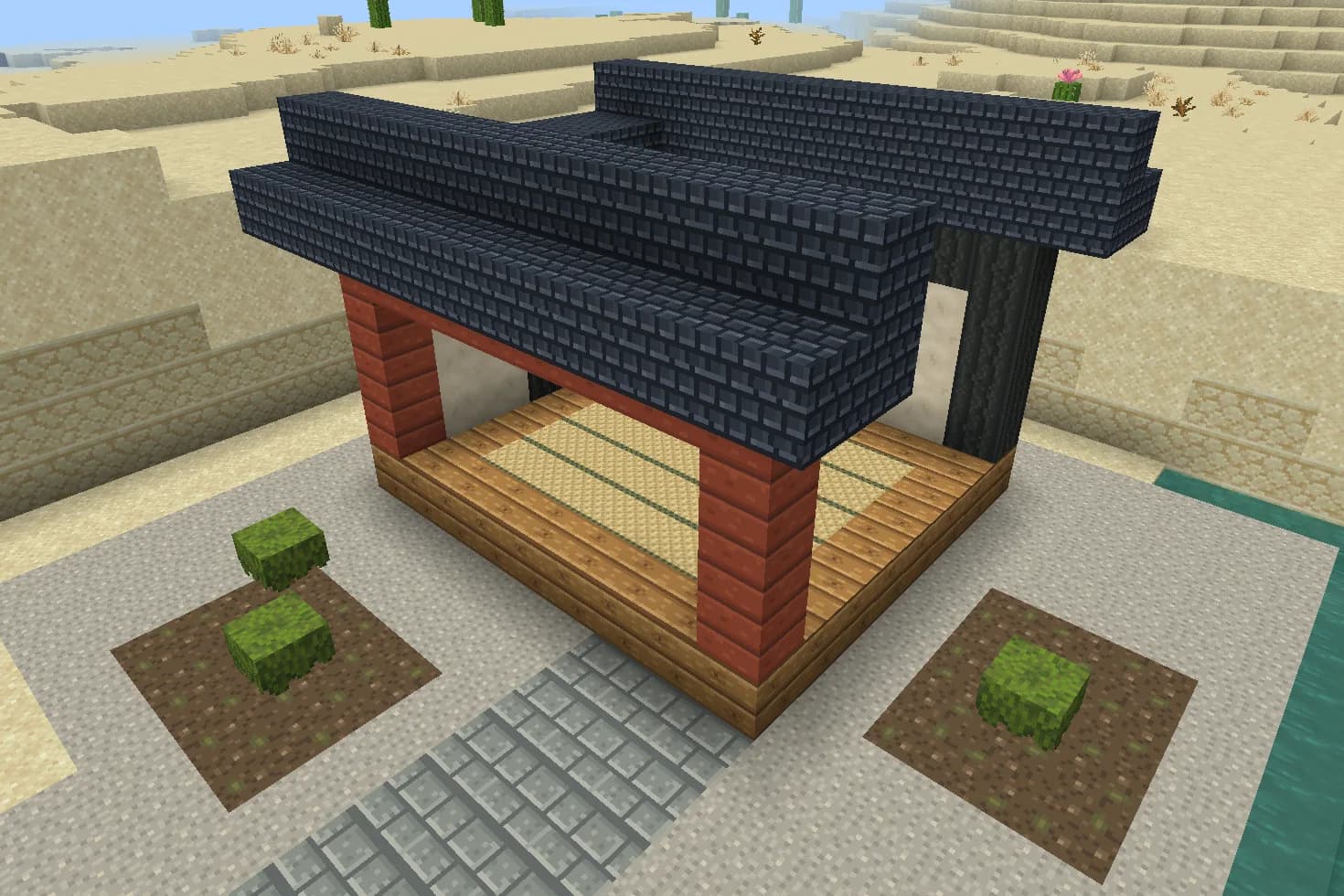
A build using this pack inside Minecraft on a phone, photographed when we checked it. The download includes the textures; the build is an example.
What changes
Build a quiet courtyard palette around warm plaster, charcoal ceramic patterns and vermilion timber. Stone becomes softly trowelled ivory plaster, bricks become dark roof tiles, and stone bricks become grey granite paving. Jungle planks carry golden cedar grain; acacia planks become vermilion boards; dark oak planks become fine-grained charred wood. Birch planks carry a straw mat weave with olive borders, gravel becomes fine garden grit, and dirt becomes rich soil with scattered olive moss patches. Nine original 16×16 designs cover walls, roofing, floors, framing and garden beds. These replace existing textures throughout the world. They add no structures, furniture, plants or gameplay features; all other materials keep their existing textures.
Stone
Every stone block in your world takes this look.
Bricks
Every bricks block in your world takes this look.
Stone bricks
Every stone bricks block in your world takes this look.
Jungle planks
Every jungle planks block in your world takes this look.
Acacia planks
Every acacia planks block in your world takes this look.
Dark oak planks
Every dark oak planks block in your world takes this look.
Birch planks
Every birch planks block in your world takes this look.
Gravel
Every gravel block in your world takes this look.
Dirt
Every dirt block in your world takes this look.
How to install
- Open the .mcpack file with Minecraft Bedrock to import it.
- Edit a world, open Resource Packs, find this pack under My Packs and activate it.
- Place it above other packs that replace the same textures.
- Use stone for plaster walls, dark oak planks for dark framing, and acacia planks for vermilion accents.
- Build roofs from bricks or shapes that use the brick texture. The ceramic pattern is painted onto existing shapes.
- Use jungle planks for cedar decking and birch planks for woven floors; the weave covers every face of birch planks.
- Lay stone bricks as paving, gravel in the garden and dirt for moss-flecked beds. Moss is a texture, not a plant.
- Existing recipes and block behaviour stay the same. Stone and dirt also change underground; sand stays unchanged.
- Place Kohaku above other Resource Packs to give its nine textures priority. Shared stairs and slabs may change too.
To use it in every world instead of one, go to Settings, then Global Resources, then My Packs, and activate it there.
If your browser saved the file ending in .zip, rename it to end in .mcpack before opening it.
Step-by-step install for your deviceChecked in the game
We put this exact file into Minecraft 1.26.45 on an Android phone on 8 September 2026, turned it on, and looked at every block it changes in a world. The pictures above are from that check.
Other devices and newer versions of Minecraft have not been checked yet.
File details
Pack version 0.1.0. Needs Minecraft 1.21.120 or newer.
SHA-256 666b852a433cfb3c61976bd62235d4d6d6e1fb897a3e37dcb207a2e5bdac1ca4
You might also like
Texture pack
Saltwind Harbor
Eight coastal building textures: limewashed walls, coral brick, painted timber, driftwood, sand and pebbles.
Texture pack
Verdant Reliquary
Ten jungle-ruin textures: mossy stone, carved medallions, reddish timber, jade mosaic, aged gold, clay tiles and fern-speckled gravel.
Texture pack
Saffron Oasis
Nine desert-building textures with pale carved sandstone, turquoise mosaic floors, warm adobe and dark timber.
Texture pack
Cinderworks Foundry
Nine industrial building textures: riveted copper in four ages, gunmetal iron, soot-dark brick, stone and workshop timber.