Texture pack for Minecraft Bedrock
Saffron Oasis
Nine desert-building textures with pale carved sandstone, turquoise mosaic floors, warm adobe and dark timber.
Free. 5 kB.
Changes 9 blocks. Works with Minecraft Bedrock 1.21 and newer. No experimental features.
In the game
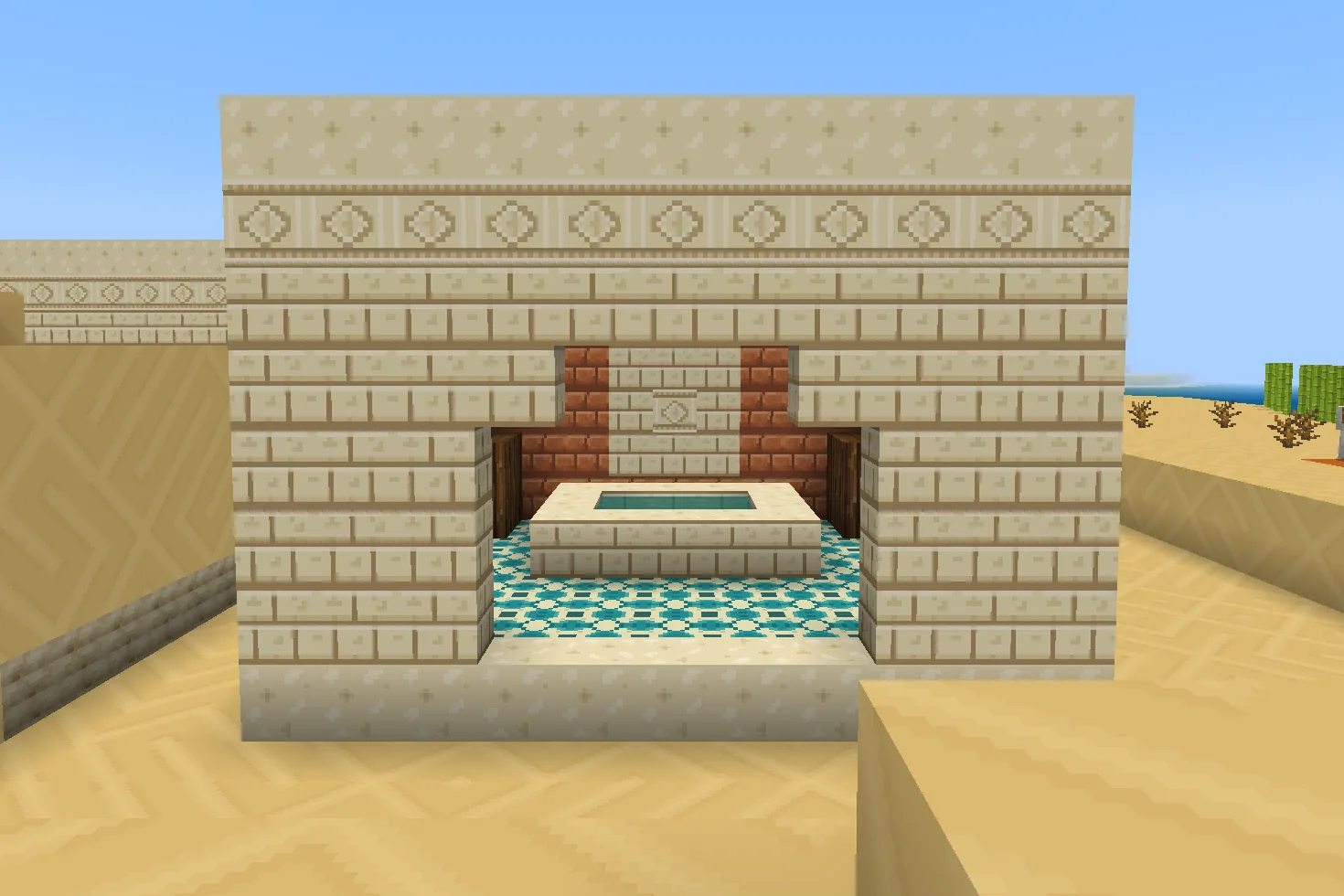
A build using this pack inside Minecraft on a phone, photographed when we checked it. The download includes the textures; the build is an example.
What changes
Give desert courtyards a clear contrast between pale sandstone walls, turquoise patterned floors and dark timber. Sandstone sides gain layered cream stone, its tops become softly polished ivory, and its underside keeps a rough ochre grain. Chiseled sandstone carries a geometric rosette; cut sandstone gets neat masonry joints. Stone bricks become turquoise-and-ivory ceramic mosaic, bricks become warm adobe, acacia planks become dark brown boards, and sand carries quiet wind ripples. Nine original 16×16 tiles replace these existing texture files throughout the world, including variants that share them. Smooth sandstone shares the polished top texture. This pack changes appearance only; it includes no buildings or furniture. Other textures keep their existing appearance.
Sandstone sides
Every sandstone sides block in your world takes this look.
Sandstone tops and smooth sandstone
Every sandstone tops and smooth sandstone block in your world takes this look.
Sandstone undersides
Every sandstone undersides block in your world takes this look.
Chiseled sandstone sides
Every chiseled sandstone sides block in your world takes this look.
Cut sandstone sides
Every cut sandstone sides block in your world takes this look.
Stone bricks
Every stone bricks block in your world takes this look.
Bricks
Every bricks block in your world takes this look.
Acacia planks
Every acacia planks block in your world takes this look.
Sand
Every sand block in your world takes this look.
How to install
- Open the .mcpack file with Minecraft Bedrock to import it.
- Edit a world, open Resource Packs, find this pack under My Packs and activate it.
- Place it above other packs that replace the same textures.
- Use sandstone for pale layered walls and smooth sandstone for quiet ivory surfaces.
- Place chiseled sandstone as a rosette border and cut sandstone around doorways.
- Use stone bricks for turquoise mosaic floors, bricks for adobe and acacia planks for dark timber.
- Sand carries the ripple design. These textures also affect existing builds and terrain that use the same files.
To use it in every world instead of one, go to Settings, then Global Resources, then My Packs, and activate it there.
If your browser saved the file ending in .zip, rename it to end in .mcpack before opening it.
Step-by-step install for your deviceChecked in the game
We put this exact file into Minecraft 1.26.45 on an Android phone on 8 September 2026, turned it on, and looked at every block it changes in a world. The pictures above are from that check.
Other devices and newer versions of Minecraft have not been checked yet.
File details
Pack version 0.1.1. Needs Minecraft 1.21.120 or newer.
SHA-256 13224036f6c0d034e21f6371eedaa9a93ee8de704a2d613773eb18d4d1e48e98
You might also like
Texture pack
Thalassa Mosaic
Ten sea-palace textures: turquoise ashlar, dark scale tiles, wave-bordered sandstone, scallop ceramic, coral tile, gold braid and driftwood.
Texture pack
Saltwind Harbor
Eight coastal building textures: limewashed walls, coral brick, painted timber, driftwood, sand and pebbles.
Texture pack
Kohaku Courtyard
Nine Japanese-inspired building textures with ivory plaster, charcoal roof tiles, cedar, woven flooring and garden materials.
Texture pack
Verdant Reliquary
Ten jungle-ruin textures: mossy stone, carved medallions, reddish timber, jade mosaic, aged gold, clay tiles and fern-speckled gravel.