Texture pack for Minecraft Bedrock
Frostmere Lodge
Ten alpine cabin textures: spruce bark and rings, warm boards, split stone, hearth masonry, quiet snow, woven wool and cast iron.
Free. 5 kB.
Changes 10 blocks. Works with Minecraft Bedrock 1.21 and newer. No experimental features.
In the game
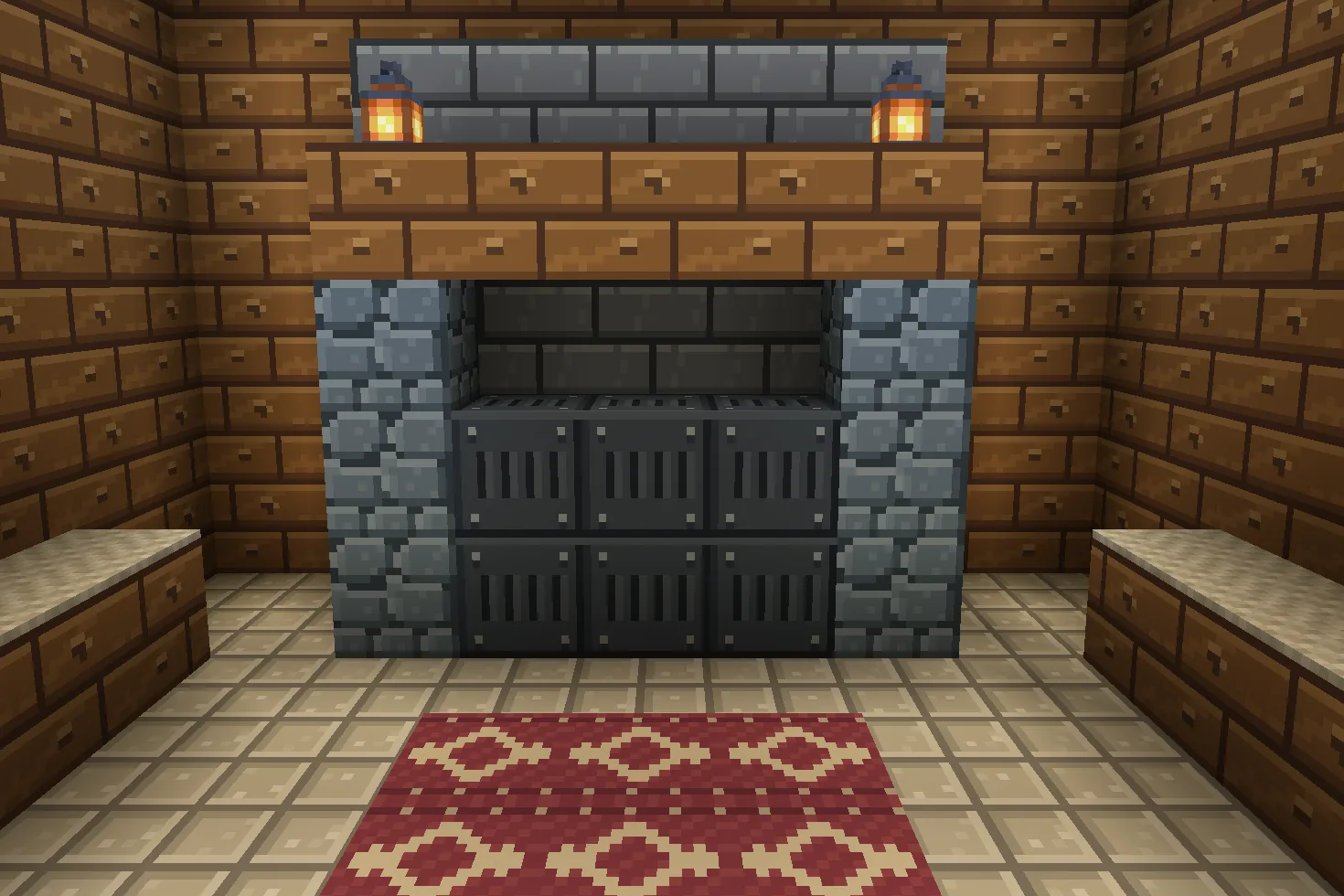
A build using this pack inside Minecraft on a phone, photographed when we checked it. The download includes the textures; the build is an example.
What changes
Build a warm cabin palette around textured spruce and cool stone. Spruce logs gain fissured bark and nested end-grain rings; spruce planks become broad honey-brown boards. Cobblestone becomes blue-grey split stone, stone bricks become smoke-grey hearth masonry, and stone becomes pale square limestone tiles. Snow gains restrained pale-blue drifts. White wool becomes cream knit, red wool carries a cranberry-and-cream woven diamond motif, and iron blocks become opaque riveted cast-iron panels. Ten original 16×16 tiles replace existing texture files throughout the world, including blocks that share them. Stone also changes underground. Snow must already exist or be placed; the pack does not change the weather. Recesses, grain and stitches are painted details. No buildings, furniture, lighting effects or gameplay changes are included.
Spruce log bark
Every spruce log bark block in your world takes this look.
Spruce log ends
Every spruce log ends block in your world takes this look.
Spruce planks
Every spruce planks block in your world takes this look.
Cobblestone
Every cobblestone block in your world takes this look.
Stone bricks
Every stone bricks block in your world takes this look.
Snow
Every snow block in your world takes this look.
White wool
Every white wool block in your world takes this look.
Red wool
Every red wool block in your world takes this look.
Block of iron
Every block of iron block in your world takes this look.
Stone
Every stone block in your world takes this look.
How to install
- Open the .mcpack file with Minecraft Bedrock to import it.
- Edit a world, open Resource Packs, find this pack under My Packs and activate it.
- Place it above other packs that replace the same textures.
- Frame the cabin with spruce logs and warm spruce planks. Rotating a log exposes the new end grain.
- Use cobblestone for rough foundations, stone bricks for a hearth surround, and stone for pale tiled floors. Stone also changes underground.
- Use white and red wool or their carpets for cream knit and cranberry woven accents. Iron blocks become opaque cast-iron panels.
- Place snow blocks or snow layers for the winter palette. This pack changes existing snow art; it does not create snowfall.
- These are painted textures on existing blocks, including shared-file variants. No structures are included.
To use it in every world instead of one, go to Settings, then Global Resources, then My Packs, and activate it there.
If your browser saved the file ending in .zip, rename it to end in .mcpack before opening it.
Step-by-step install for your deviceChecked in the game
We put this exact file into Minecraft 1.26.45 on an Android phone on 8 September 2026, turned it on, and looked at every block it changes in a world. The pictures above are from that check.
Other devices and newer versions of Minecraft have not been checked yet.
File details
Pack version 0.1.0. Needs Minecraft 1.21.120 or newer.
SHA-256 524d149cb77a9d6ec6c3a40389f9e0ff35ccee8198832f185d736d188e63280c
You might also like
Texture pack
Bracken Archive
Ten library textures: leather-bound book spines, walnut panels, chevron parquet, garnet runners, green leather and brass trim.
Texture pack
Cinderworks Foundry
Nine industrial building textures: riveted copper in four ages, gunmetal iron, soot-dark brick, stone and workshop timber.
Texture pack
Slatehaven Keep
Blue-grey masonry, rough charcoal cobbles and weathered spruce for Bedrock castle builds.
Texture pack
Verdant Reliquary
Ten jungle-ruin textures: mossy stone, carved medallions, reddish timber, jade mosaic, aged gold, clay tiles and fern-speckled gravel.