Skip to content
backpack
furniture
ores
tools
animals
medieval
knight

In developmentAndroid, iPhone and iPad

Everything you download, close at hand.

The ModChest app puts every ModChest mod, texture pack and skin on your phone or tablet, and hands them to Minecraft without a file to find.

It is in development and not in the app stores yet. Until it is, every free mod, texture pack and skin downloads from this website with no account.

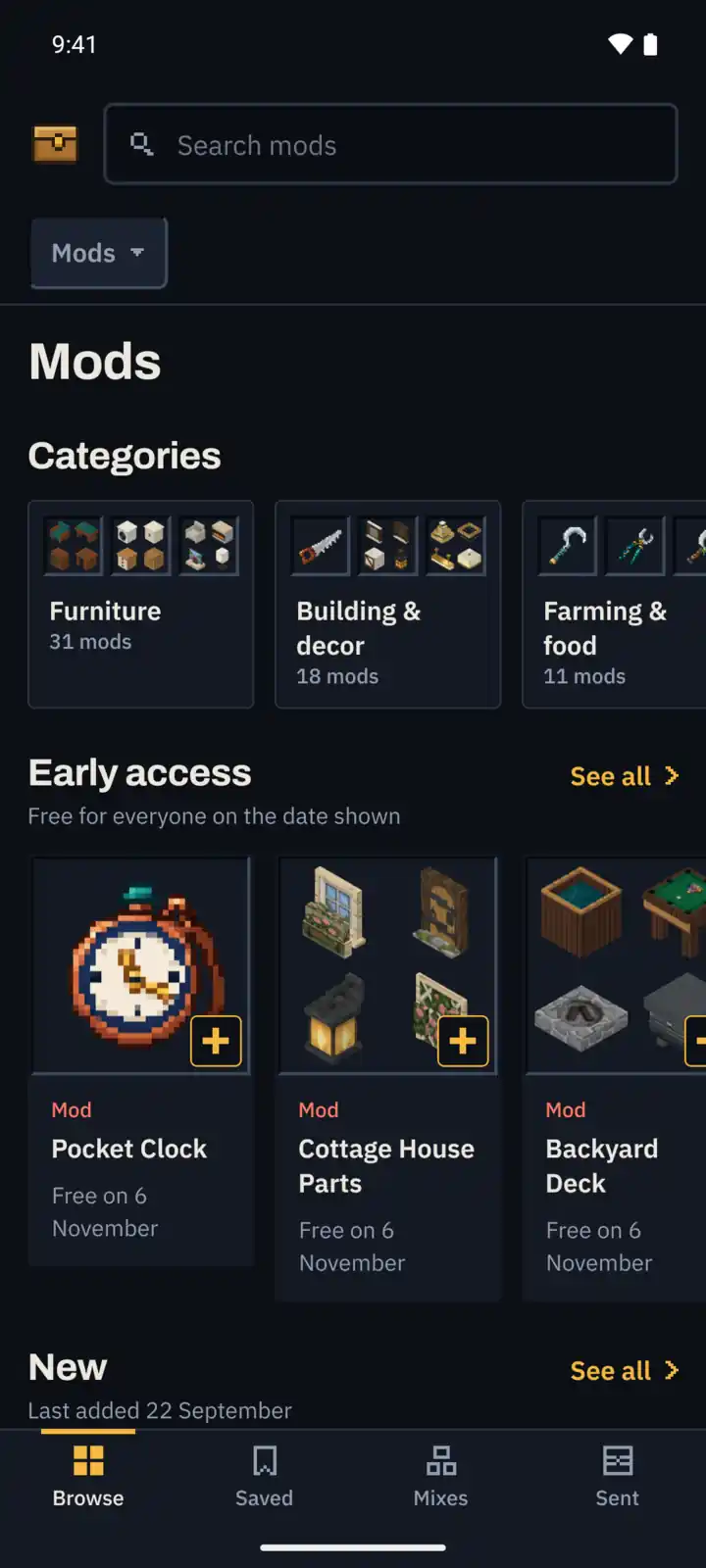
The ModChest app’s Browse screen: search, the featured creations, the sections and the Browse, Saved, Mixes and Sent tabs

What the app does

One tap into Minecraft

The app hands what you chose straight to Minecraft, so there is no file to find. Or start a new world with it already switched on.

From this website, on Android

  1. Tap Install on its page. It downloads.
  2. Open the Files app.
  3. Go to Downloads.
  4. Tap the file. Minecraft opens and imports it.

With the app

  1. Tap Install. Minecraft opens and imports it.

iPhone and iPad take as many steps through Safari. How to install from the website
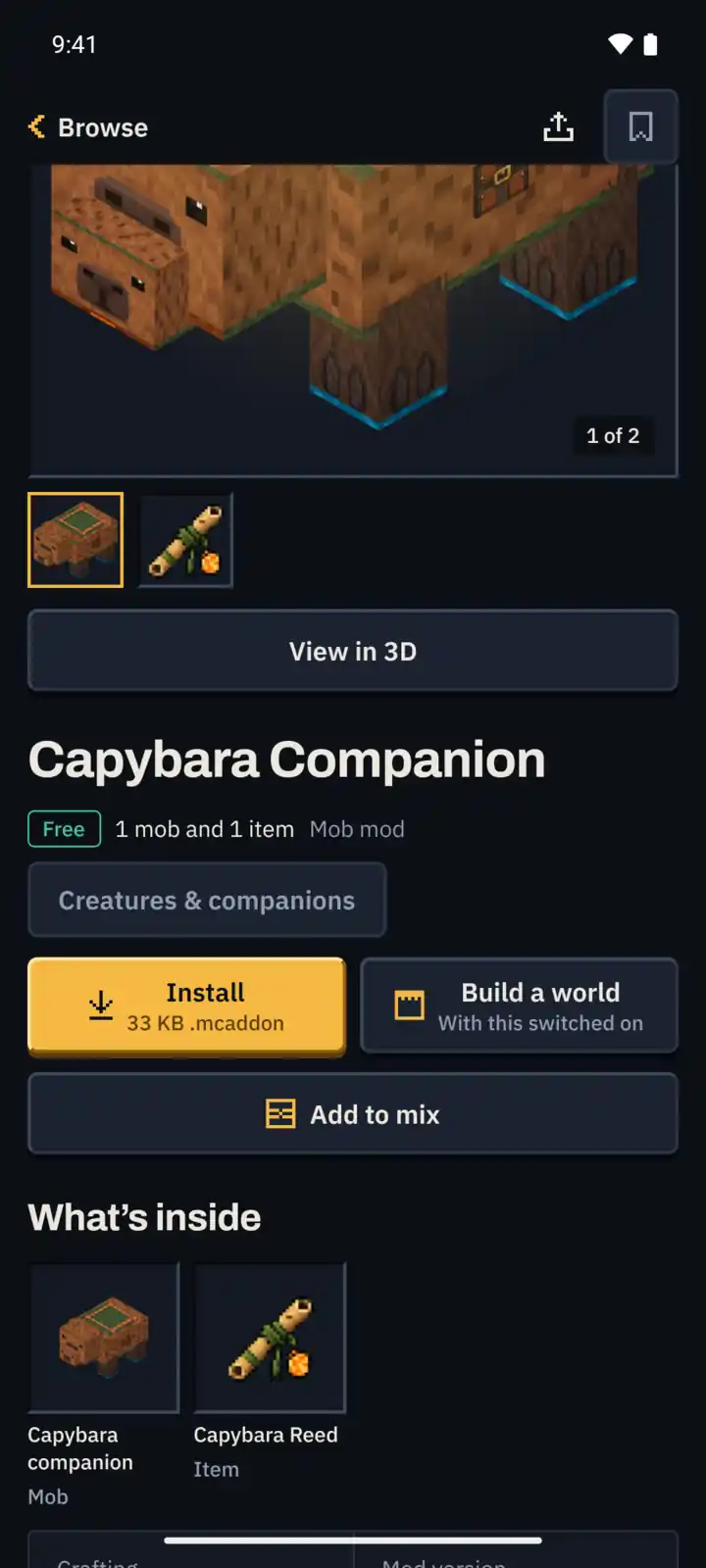
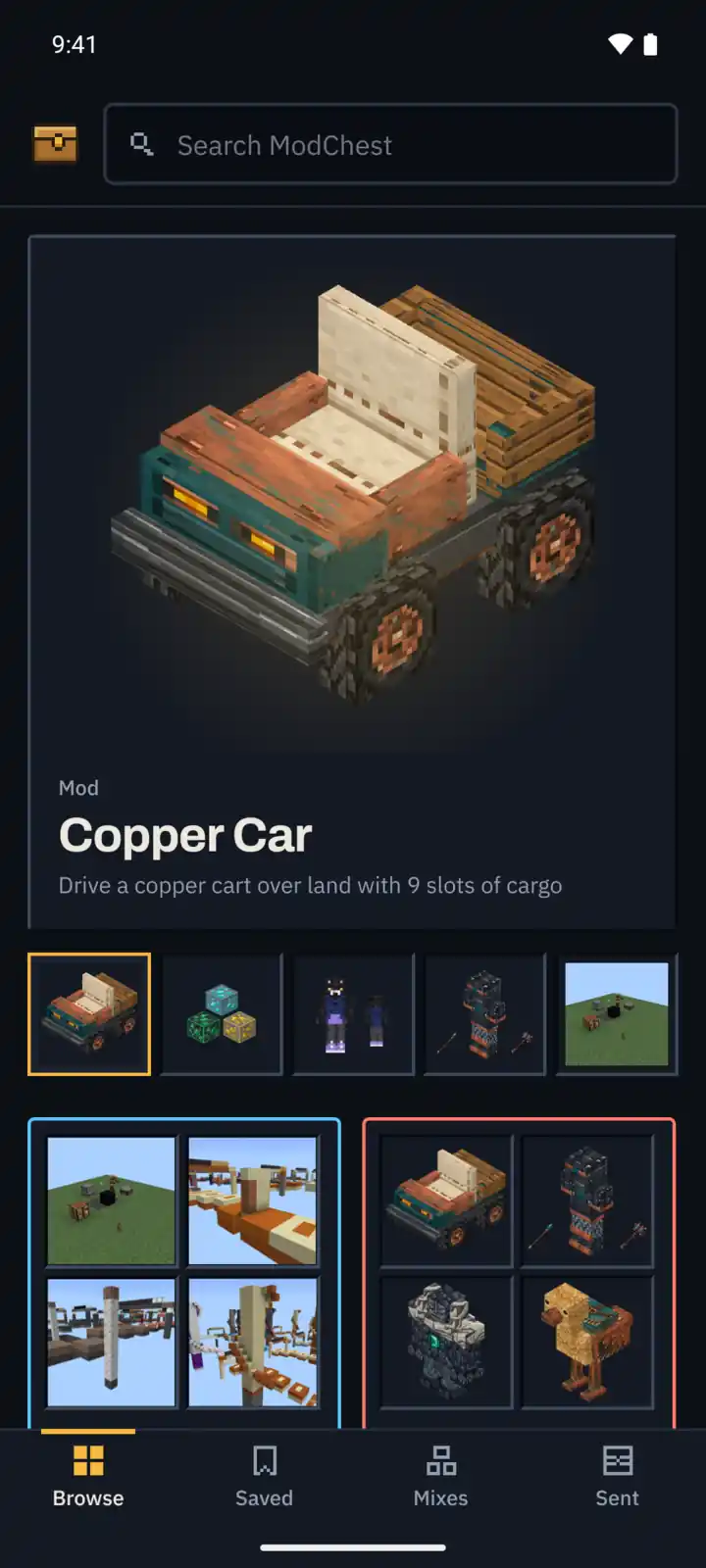
A mod’s page in the ModChest app with its images, category, contents and the Install, Build a world and Add to mix buttons

Mix mods and texture packs into one world

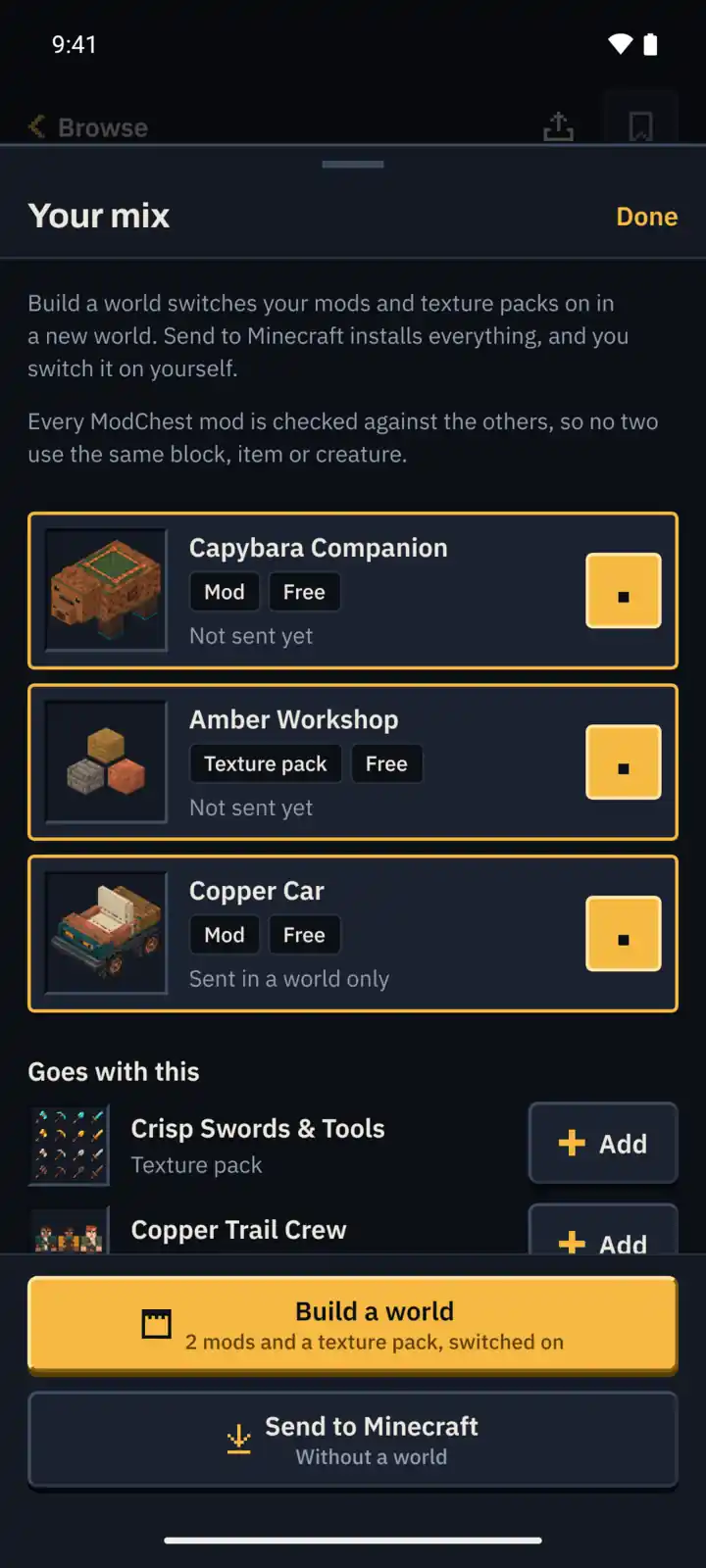
Gather mods and texture packs from their pages, a collection or your Saved list into one mix, then build a new world with every one of them switched on.

  • Add a mod or a texture pack to your mix from its page.
  • Name the world and choose Creative or Survival.
  • The app remembers what went into which world, so you can build it again.
The mix in the ModChest app: two mods and a texture pack, what goes with them, and the Build a world and Send to Minecraft buttons

Sent, with its updates

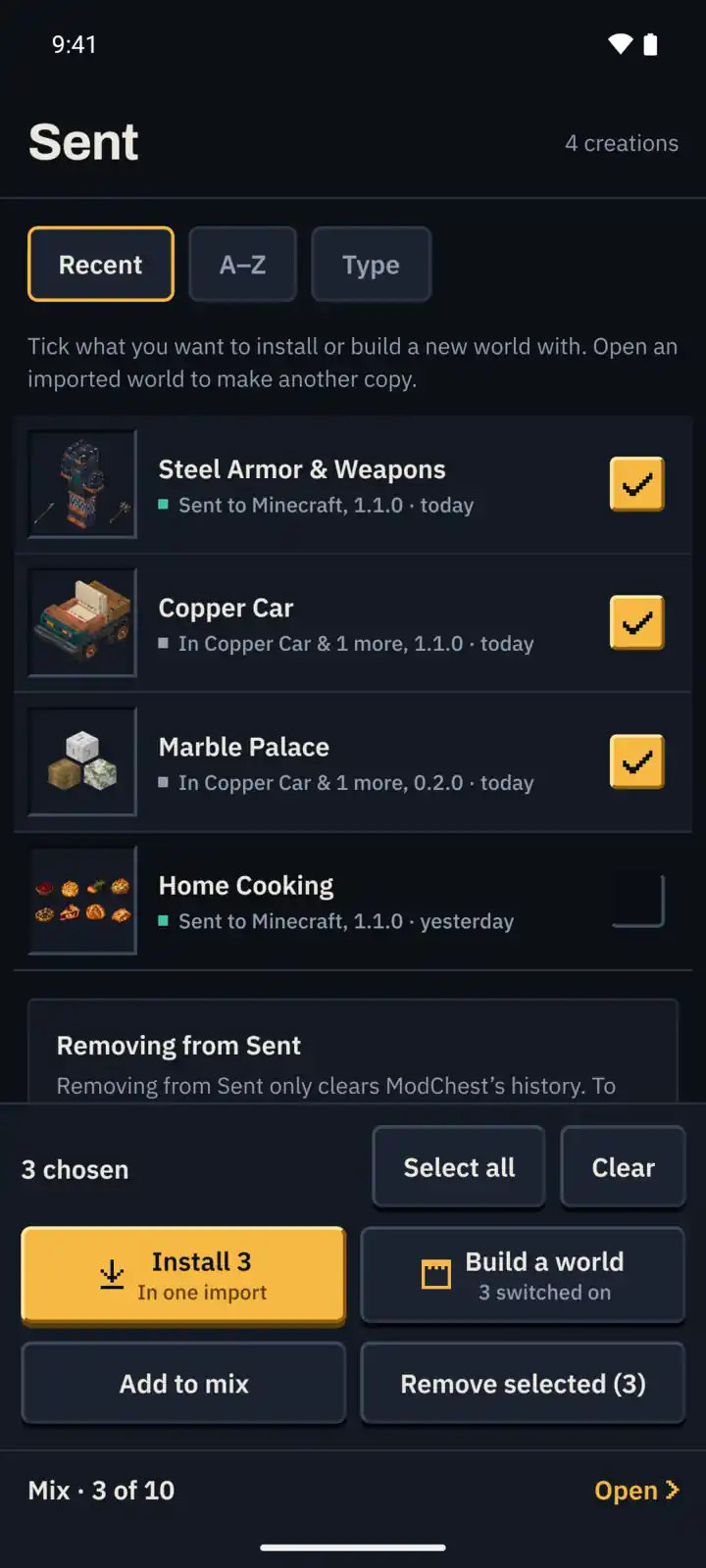
Everything the app has handed to Minecraft, in one list.

  • Anything with an update is listed first.
  • Tick several and install them in one import.
  • Or start a new world with the ticked ones switched on.
The Sent tab in the ModChest app: packs sent to Minecraft, three of them ticked to install in one import or start a new world with

Works offline

The catalog and every page you have opened stay on your device.

  • Browse, search and your Saved list work with no connection.
  • It catches up the next time you are online.
The Mods section in the ModChest app: its categories, then the mods in early access with the day each becomes free and a + on each to add it to a mix

Questions

Is it free?

Yes. Everything free on this website is free in the app. A new creation starts in early access and becomes free for good a few weeks later; a ModChest subscription in the app opens it early.

Which devices will it run on?

Android, iPhone and iPad. To open anything from it you also need Minecraft Bedrock on the same device. On Windows, download from this website.

Do I need an account?

No. The app has no sign-in and what you save stays on your device. This website needs no account either.