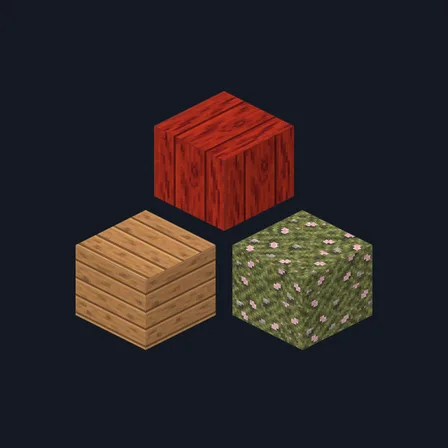
Bamboo Grove
48 bamboo grove surfaces for green retreats and river-stone paths
Premium48 texturesTexture pack in Natural & detailed and Cozy
In Premium in the ModChest app
It comes with Premium, the subscription in the ModChest app.
Works with Minecraft Bedrock 1.26.45 and newer
- Android
- iPhone and iPad
- Windows
Consoles and Java Edition can’t import packs.
What’s inside
- 48 coordinated 32×32 block textures in bamboo green, cane cream, river grey and rope tan
- 18 bamboo and timber surfaces for boards, culms, peeled logs and cut ends
- 18 stone and masonry surfaces for river-stone paths, slate, sandstone and clay walls
- 4 woven wool colours: white, green, lime and brown
- 2 barrel surfaces for cane staves and closed lids
- 6 finishing surfaces for shelving, black concrete, moss, gravel, dirt and terracotta
- Texture pack version
- 0.3.0
- Updated
- October 2026
About this pack
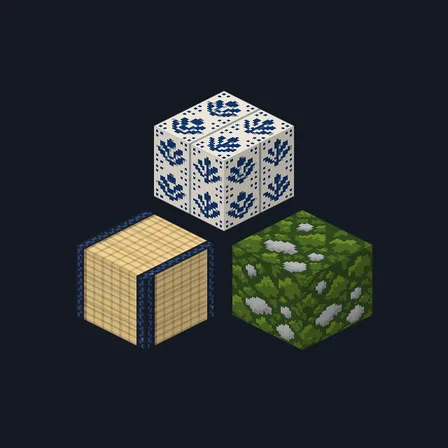
Bamboo Grove gives 48 block surfaces a coordinated palette of fresh bamboo green, split-cane cream, damp river-stone grey and rope tan. Build with bamboo poles, peeled cane, smoked timber, basketweave parquet, rice-paper panels, rolled-mat shelves and woven fabrics beside stone paths and clay walls. Coverage includes bamboo blocks and their tops, stripped bamboo blocks and their tops, bamboo planks and mosaic; oak and spruce planks, log sides and tops, and stripped log sides and tops; birch and jungle planks; barrel sides and closed tops; stone, plain and mossy cobblestone, plain, mossy, cracked and carved stone bricks, the stone slab top, polished blackstone and polished blackstone bricks; brick, calcite, moss, black concrete, clay, gravel, dirt and terracotta; sandstone sides, tops, bottoms, smooth and carved surfaces; bookshelves; and white, green, lime and brown wool. Only these surfaces change: barrel bottoms and open tops, other block textures, item sprites, mobs and the interface keep their usual appearance. All changes are surface artwork; block behaviour stays the same.
Every texture in the pack
How to install Bamboo Grove
- Download Bamboo Grove and open the .mcpack file to import it into Minecraft Bedrock.
- Edit your world, open Resource Packs, and activate Bamboo Grove.
- Place Bamboo Grove above other resource packs that replace the same surfaces; the higher pack takes priority.
- Use the blocks named in the description to build with the full set.
- Deactivate Bamboo Grove under Resource Packs to restore the previous appearance.
What changed
0.3.0
Added 32 bamboo, timber, barrel, masonry, ground and woven-wool textures for a coordinated set of 48 surfaces.
0.2.1
Redrew polished_blackstone so it tiles
0.2.0
Updated
0.1.0
First release
Which version do I have?
Minecraft Bedrock shows its version number in the bottom-right corner of the main menu. Everything on ModChest is built for Bedrock 1.26.45 and newer, on Android, iPhone, iPad and Windows. If your number is lower, update Minecraft from the store you installed it from, then import the texture pack.
Step-by-step for your device
Where the file lands, how to open it with Minecraft, and what to do if the import fails.
More like this
The ModChest app for Android, iPhone and iPad keeps a list of everything it sends to Minecraft, and shows when one has an update. Get the app