Wicker Effigy
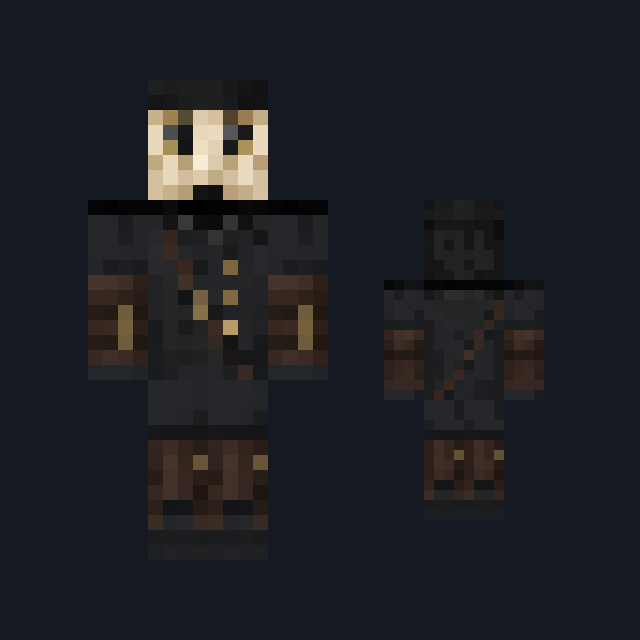
Woven straw-gold wicker figure with hollow eye sockets, leather straps and dried leaves.
Harvest effigy skin woven from straw-gold wicker
FreeSkin in Horror & spooky and Fantasy
In the Halloween collection
.mcpack file, 14 KB. Consoles and Java Edition can’t import packs.
Woven straw-gold wicker figure with hollow eye sockets, leather straps and dried leaves.
Classic arms are four pixels wide, like Steve’s; slim arms are three, like Alex’s. Pick whichever fits the outfit in the Dressing Room.
Wicker Effigy is a figure built rather than dressed. The head is a tight straw-gold basket weave on every side, and the front of the head alone carries two dark hollow eye sockets and a short stitched mouth line set into the weave; the crown adds three short dark twig stubs. The torso is a woven wicker barrel bound by two dark leather straps with a small cluster of dried russet leaves at one shoulder. The arms are bundled straw withies wrapped with dark twine at the wrist, and darker weathered straw bundles bound with twine form the legs above blunt root-brown feet. This free Minecraft Bedrock .mcpack includes one original outfit in classic and slim arm fits. There is no fire, no blood and no ability of any kind; it changes appearance only.
0.2.0
Updated
0.1.0
First release
Minecraft Bedrock shows its version number in the bottom-right corner of the main menu. Everything on ModChest is built for Bedrock 1.26.45 and newer, on Android, iPhone, iPad and Windows. If your number is lower, update Minecraft from the store you installed it from, then import the skin.
Where the file lands, how to open it with Minecraft, and what to do if the import fails.
Spooky creations for the season, with more every year. Each has its own download.

Skin
Skin

Skin

Skin

Skin

Skin
Skin pack

Skin
The ModChest app for Android, iPhone and iPad keeps a list of everything it sends to Minecraft, and shows when one has an update. About the app