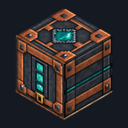
Experience Vault
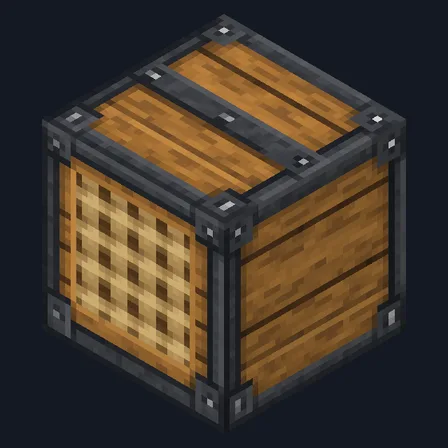
Crafting table
- Obsidian ×4
- Copper block ×2
- Amethyst shard ×2
- Enchanting table ×1
Top row: Obsidian, Copper block, Obsidian. Middle row: Amethyst shard, Enchanting table, Amethyst shard. Bottom row: Obsidian, Copper block, Obsidian.
Bank up to 30,000 experience points, one whole level per use
PremiumBlock mod in Storage & inventory
In Premium in the ModChest app
It comes with Premium, the subscription in the ModChest app.
Consoles and Java Edition can’t import packs.
Every ModChest mod is checked against the others, so no two use the same block, item or creature.
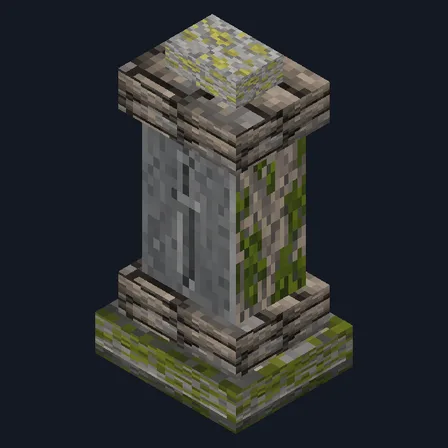
Place the Experience Vault and use it while standing to deposit one level: it banks whatever you have into your current level plus the whole level below, so you land exactly on the start of the level below. Crouch and use it to take back exactly enough experience to reach your next level. Every player has a separate balance at each vault, so a visitor can neither see nor take another player’s experience.
Each account holds up to 30,000 points, about 98 levels counted from level 0, enough to bank several level-30 enchantments. Every use reports the points moved and your balance, in points and in levels counted from level 0. The vault stores exact points rather than levels, so nothing is rounded away. A vault with any stored experience refuses to break and reports the total, so deposits can’t disappear with the block.
Crafting table
Top row: Obsidian, Copper block, Obsidian. Middle row: Amethyst shard, Enchanting table, Amethyst shard. Bottom row: Obsidian, Copper block, Obsidian.
1.1.0
Each use now moves one whole level, and accounts hold 30,000 points instead of 1,000. Existing balances are kept.
1.0.0
First release
Minecraft Bedrock shows its version number in the bottom-right corner of the main menu. Everything on ModChest is built for Bedrock 1.26.45 and newer, on Android, iPhone, iPad and Windows. If your number is lower, update Minecraft from the store you installed it from, then import the mod.
Where the file lands, how to open it with Minecraft, and what to do if the import fails.
The ModChest app for Android, iPhone and iPad keeps a list of everything it sends to Minecraft, and shows when one has an update. Get the app