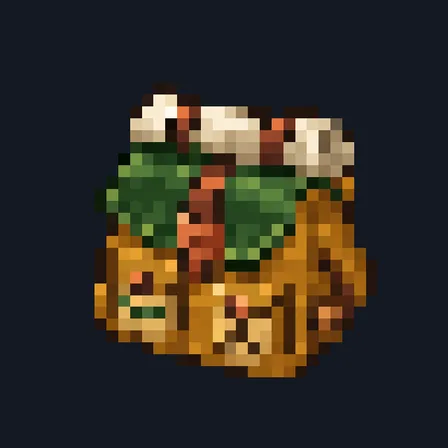
Hiking Backpack
Crafting table, in any arrangement
- Leather, 4
- String, 3
- Chest, 1
Carry 18 supply stacks, or upgrade your pack to hold 36
Premium7 itemsItem mod in Storage & inventory
In the Survival Essentials collection
In Premium in the ModChest app
It comes with Premium, the subscription in the ModChest app.
Consoles and Java Edition can’t import packs.
Every ModChest mod is checked against the others, so no two use the same block, item or creature.
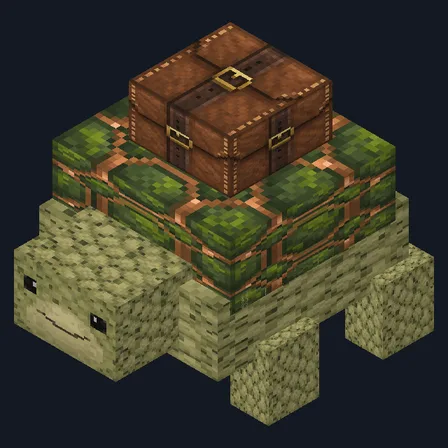
Craft a Hiking Backpack from leather, string and a chest. Add 1 red or blue dye to the backpack recipe to craft that color directly. Hold it and use it to store up to 18 whole stacks from your main inventory; crouch and use it to return them to empty inventory slots. Supply transfers leave your hotbar alone, and the tooltip shows how many stacks the pack holds.
Craft an Expedition Backpack Frame from 4 leather, 2 iron ingots and 2 string. Carry exactly one backpack, hold the frame and use it to reinforce that pack in place to 36 stacks, keeping its contents and color. Craft a green, red or blue backpack dye kit from 1 matching dye and 1 string; hold the kit and use it with exactly one backpack in your inventory to change its color without losing supplies or its upgrade. An already upgraded pack keeps your frame, and a pack already in the chosen color keeps your dye kit.
Sprint and use the pack to quickly deposit plain supplies whose types are already inside it. This fills partial stored stacks first, then uses empty pack slots; anything that does not fit stays with you. Regular packing and unpacking still move whole stacks.
Only plain stackable supplies are stored: tools, armor and items with names, enchantments or other custom details stay outside. Each pack keeps its own contents through drops, chests and world reloads. If the pack burns, falls into the void or despawns, everything inside is lost.
Crafting table, in any arrangement
Crafting table, in any arrangement
Crafting table, in any arrangement
Crafting table, in any arrangement
Crafting table, in any arrangement
Crafting table, in any arrangement
Crafting table, in any arrangement
1.2.0
Added a cargo-preserving 36-stack expedition upgrade, three pack colors and quick deposit for matching supplies.
1.1.0
Updated
1.0.1
First release
Minecraft Bedrock shows its version number in the bottom-right corner of the main menu. Everything on ModChest is built for Bedrock 1.26.45 and newer, on Android, iPhone, iPad and Windows. If your number is lower, update Minecraft from the store you installed it from, then import the mod.
Where the file lands, how to open it with Minecraft, and what to do if the import fails.
Each has its own download.
The ModChest app for Android, iPhone and iPad keeps a list of everything it sends to Minecraft, and shows when one has an update. Get the app