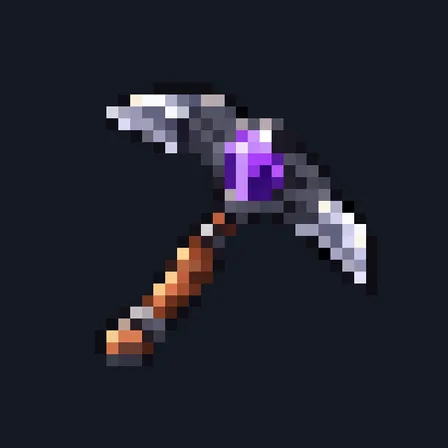
Tree Felling Axe
Crafting table
- Iron ingot ×3
- Copper ingot ×1
- Stick ×2
Top row: Iron ingot, Iron ingot, Copper ingot. Middle row: Iron ingot, Stick, empty. Bottom row: empty, Stick, empty.
Fell whole tree trunks with one crouching swing
PremiumItem mod in Mining & gathering
In the Survival Essentials collection
In Premium in the ModChest app
It comes with Premium, the subscription in the ModChest app.
Consoles and Java Edition can’t import packs.
Every ModChest mod is checked against the others, so no two use the same block, item or creature.
The Tree Felling Axe chops logs, wood and planks as fast as an iron axe. To fell a tree, aim at its trunk, crouch and use the axe. Up to 128 logs of that trunk break at once, enough for a 2×2 dark oak and most giant spruce and jungle trees, and they all drop where you cut. A branch that meets the trunk only at a corner or an edge, as some acacia and dark oak branches do, stays up: chop it like any log. The leaves stay behind to decay and drop saplings as usual. Each log uses 1 of the axe's 384 durability points.
It only cuts trees that still have their natural leaves nearby, and it can't tell a tree from a wooden build if natural leaves touch the build's logs, so keep it away from log houses. It works on Overworld logs with bark, not stripped logs or Nether stems. Many blocks change at once, so back up your world before you try it.
Crafting table
Top row: Iron ingot, Iron ingot, Copper ingot. Middle row: Iron ingot, Stick, empty. Bottom row: empty, Stick, empty.
1.2.0
Now chops like an iron axe, and one crouching use fells up to 128 logs, enough for a 2×2 dark oak.
1.1.0
Updated
1.0.0
First release
Minecraft Bedrock shows its version number in the bottom-right corner of the main menu. Everything on ModChest is built for Bedrock 1.26.45 and newer, on Android, iPhone, iPad and Windows. If your number is lower, update Minecraft from the store you installed it from, then import the mod.
Where the file lands, how to open it with Minecraft, and what to do if the import fails.
Each has its own download.
The ModChest app for Android, iPhone and iPad keeps a list of everything it sends to Minecraft, and shows when one has an update. Get the app