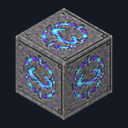
Teleport Stone
Crafting table
- Stone bricks ×7
- Ender pearl ×1
- Amethyst shard ×1
Top row: Stone bricks, Ender pearl, Stone bricks. Middle row: Stone bricks, Amethyst shard, Stone bricks. Bottom row: Stone bricks, Stone bricks, Stone bricks.
Name the stones you place and travel between them from a menu
FreeBlock mod in Navigation & info
.mcaddon file, 199 KB. Consoles and Java Edition can’t import packs.
Every ModChest mod is checked against the others, so no two use the same block, item or creature.
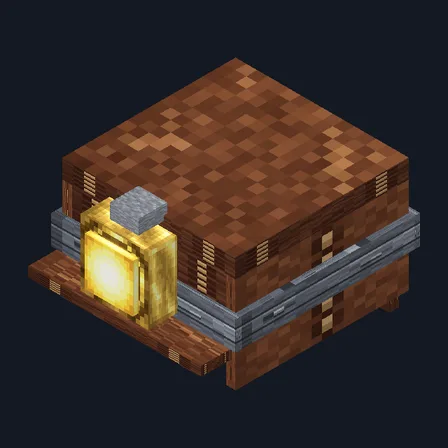
Craft a Teleport Stone from stone bricks, an ender pearl and an amethyst shard, and place it wherever you want to come back to. As soon as it is down, a box asks you to name it — Home, Mine, Village — in up to 24 characters. Close the box without a name and the stone asks again the next time you use it.
Use a stone to add it to your own list of found stones. Once you have found two, using any of them opens a menu of every other stone you have found, sorted by name with its coordinates, and tapping one puts you on top of that stone for one ender pearl. Stones in the Nether and the End join the same menu and are marked in it. Every player keeps a separate list, so a friend has to visit your stones before they can travel to them. Crouch and use a stone you placed to rename it.
A trip is refused, and costs nothing, when you carry no ender pearl or when the two blocks above the destination stone are not clear. In Creative, a trip costs no pearl. Breaking a stone drops it and removes it from every player's menu, and a stone placed in its spot starts unnamed. Pistons cannot move a stone and explosions cannot destroy one.
Crafting table
Top row: Stone bricks, Ender pearl, Stone bricks. Middle row: Stone bricks, Amethyst shard, Stone bricks. Bottom row: Stone bricks, Stone bricks, Stone bricks.
0.1.1
A trip to a stone under lava, or to a distant stone that is blocked, is now refused without spending an ender pearl
0.1.0
First release
Minecraft Bedrock shows its version number in the bottom-right corner of the main menu. Everything on ModChest is built for Bedrock 1.26.45 and newer, on Android, iPhone, iPad and Windows. If your number is lower, update Minecraft from the store you installed it from, then import the mod.
Where the file lands, how to open it with Minecraft, and what to do if the import fails.

Item mod
Item mod

Gameplay mod
Item mod

Item mod
The ModChest app for Android, iPhone and iPad keeps a list of everything it sends to Minecraft, and shows when one has an update. About the app